The Latest

  • Daily Mix – 2022-09-22

    In addition to actual mix tapes, I like to set a minidisc to record and start a Roon Radio automated mix from a key track. I record over optical while working or doing something else. Sometimes they aren’t very interesting, but sometimes they go in unexpected directions. For more, see my list of all daily mix playlists.

    Key Track: Phantogram – Bill Murray

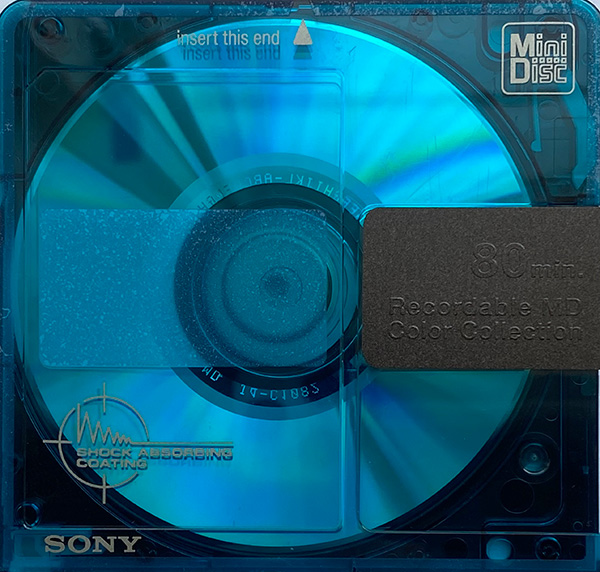
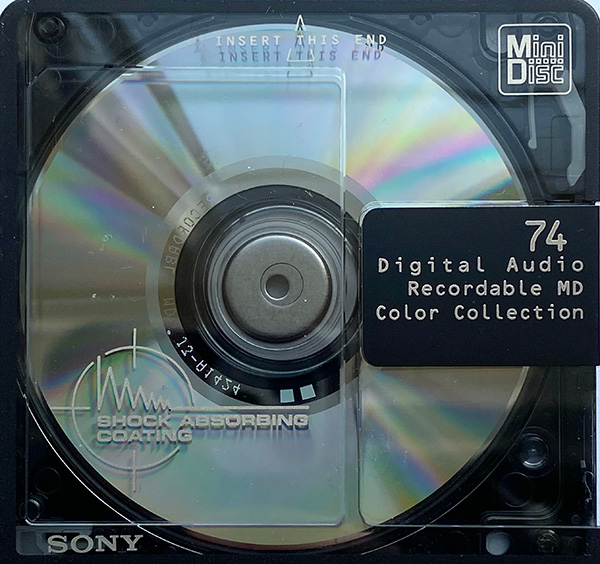
    80 minute blue-green Sony color collection minidisc

    Keyed off Bill Murray from Voices, which has some of my favorite album art of all time, this mix is mostly women with a good mix of electronic based indie tracks. A couple repeats on here including Don’t Move and Sleepyhead, but I’m not complaining.

    Highlights: Fineshrine, Rill Rill, The Mother We Share

    Track List:

    1. Bill Murray – Phantogram (03:37)
    2. Fineshrine – Purity Ring (03:30)
    3. Don’t Move – Phantogram (04:17)
    4. Tongues – Joywave (03:58)
    5. Genghis Khan – Miike Snow (03:34)
    6. Go! – M83 (03:56)
    7. The Mother We Share – CHVRCHES (03:13)
    8. Young Blood – The Naked and Famous (04:06)
    9. Figure it Out – Chaos Chaos (03:16)
    10. Die Young – Sylvan Esso (03:31)
    11. Breathing Underwater – Metric (03:55)
    12. Rill Rill – Sleigh Bells (03:52)
    13. Flesh Without Blood – Grimes (04:24)
    14. Bodyache – Purity Ring (02:55)
    15. You Don’t Get Me High Anymore – Phantogram (03:40)
    16. Shutdown – Joywave (03:44)
    17. Coming of Age – Foster the People (04:41)
    18. Graffiti – CHVRCHES (03:40)
    19. Hearts Like Ours – The Naked and Famous (04:32)
    20. The Suburbs – Mr Little Jeans (05:06)
    21. Sleepyhead – Passion Pit (02:56)

    Recorded On: 80 minute blue-green Sony color collection minidisc

    Playlists

  • Daily Mix – 2022-09-22

    In addition to actual mix tapes, I like to set a minidisc to record and start a Roon Radio automated mix from a key track. I record over optical while working or doing something else. Sometimes they aren’t very interesting, but sometimes they go in unexpected directions. For more, see my list of all daily mix playlists.

    2022-09-22

    Key Track: Kaki King – Ingots

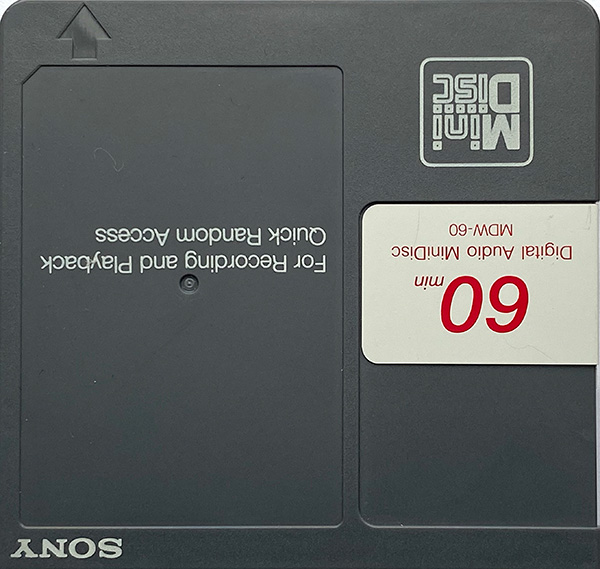
    Opaque grey Sony MDW-60 disc with text upside down from all my other MDs

    Keyed off Ingots from Legs to Make Us Longer, this mix has some instrumental tracks and some vocal, with a good amount of rich tones and warmth. I only knew a couple of the artists that popped up here. This one is really good, with some great live recordings as well.

    Highlights: Wind, Legions (War), Ouray

    Track List:

    1. Ingots – Kaki King (03:55)
    2. Wind – Endless Field (02:23)
    3. Pretty Polly – Sam Amidon (04:58)
    4. The Young People – Lankum (07:03)
    5. Toneloop – The Octopus Project (03:14)
    6. Bbtone – Pinback (04:48)
    7. Legions (War) – Zoe Keating (06:03)
    8. Llyn Du (Live) – 9Bach (04:17)
    9. My Only Swerving – El Ten Eleven (05:15)
    10. Bring Me My Queen – Abigail Washburn (04:13)
    11. Suite Bergamasque: Passepied – Punch Brothers (03:32)
    12. Petal One – Areni Agbabian, Nicolas Stocker (01:52)
    13. Talk – Antoine Dufour (04:41)
    14. Ouray (Live)- Andy McKee (03:09)

    Recorded On: Opaque grey Sony MDW-60 disc with text upside down from all my other MDs

    Playlists

  • Daily Mix – 2022-09-20

    In addition to actual mix tapes, I like to set a minidisc to record and start a Roon Radio automated mix from a key track. I record over optical while working or doing something else. Sometimes they aren’t very interesting, but sometimes they go in unexpected directions. For more, see my list of all daily mix playlists.

    Key Track: Mogwai – Ceiling Granny

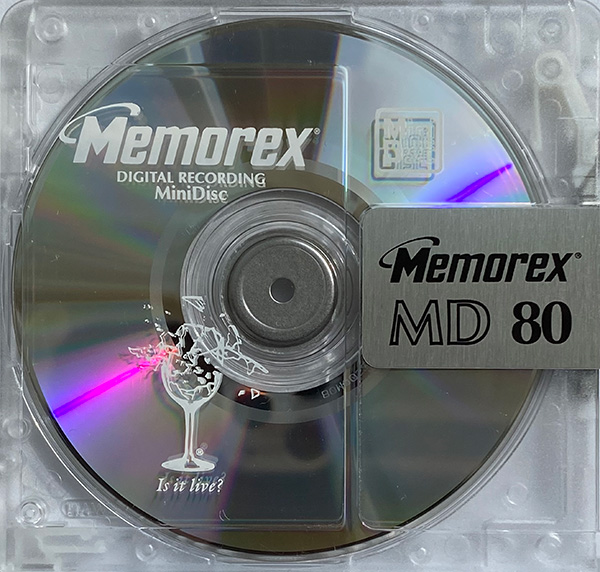
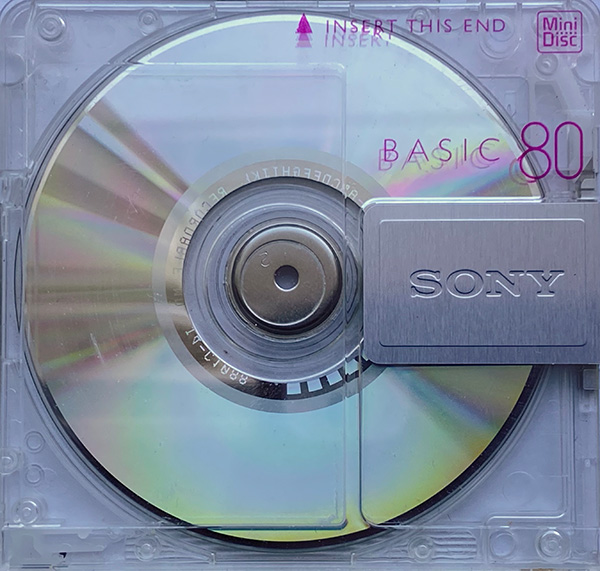
    Transparent Sony Basic 80 minidisc

    This list is keyed off the best song from As the Love Continues, itself my favorite Mogwai release in years. From the noisy distorted guitars of Ceiling Granny it dives into other post-rock like Godspeed You! Black Emperor and Sigur Rós. This one tried several times to launch into 20-40 minute tracks which really weren’t appropriate for a mix, so I skipped those and cleaned up the breaks later. Some of the stuff on this is pretty weird, particularly Military Alphabet, Science Fair, and Another Clockwork Day.

    Highlights: Ceiling Granny, Starálfur, Slowmo

    Track List:

    1. Ceiling Granny – Mogwai (03:59)
    2. Military Alphabet (five eyes all blind) [4521.0kHz 6730.0kHz 4109.09kHz] – Godspeed You! Black Emperor (04:35)
    3. Party in the Dark – Mogwai (04:04)
    4. Science Fair – Black Country, New Road (06:20)
    5. I Can Wait – Low (04:02)
    6. Starálfur – Sigur Rós (06:49)
    7. Unsmart Lady – Dry Cleaning (03:03)
    8. Flying – Explosions in the Sky (03:03)
    9. Rooftop – This Will Destroy You (05:51)
    10. Televised Mind – Fontaines D.C. (04:12)
    11. Burial – God is an Astronaut (06:03)
    12. Chondromalacia Patella – black midi (04:49)
    13. Another Clockwork Day – Arab Strap (03:29)
    14. Slowmo – Slowdive (06:55)
    15. Remurdered – Mogwai (06:25)

    Recorded on: Transparent Sony Basic 80

    Playlists

  • Daily Mix – 2022-09-17

    In addition to actual mix tapes, I like to set a minidisc to record and start a Roon Radio automated mix from a key track. I record over optical while working or doing something else. Sometimes they aren’t very interesting, but sometimes they go in unexpected directions. For more, see my list of all daily mix playlists.

    Key Track: Wintergaten – Sommarfagel

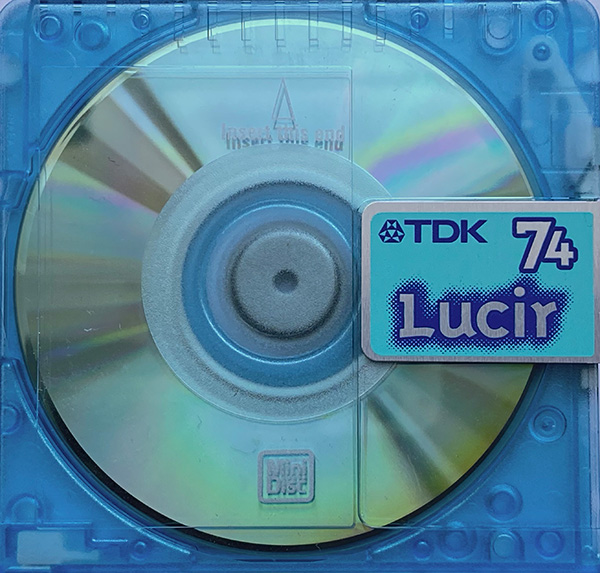
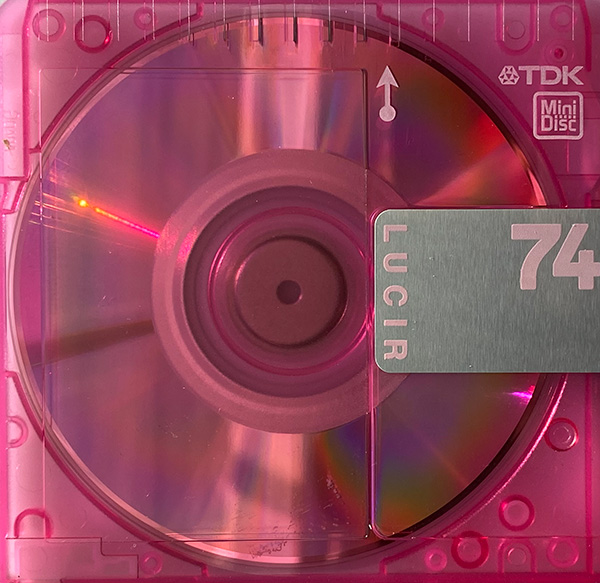
    TDK Lucir 74 minidisc, transparent light blue-green

    Keyed off an instrumental track from Wintergaten, this one goes off in some strange directions. I deleted one really awful track but the rest is worthy.

    The Scorpions track is a studio recording from MTV Unplugged.

    Highlights: Abecedarium Nord, On Fire, I’m Not OK, Midnight City, Horse With No Name

    Track List:

    1. Sommarfagel – Wintergatan (03:53)
    2. Scottish Dance (Pt. 2) – Mantus (02:38)
    3. Abecedarium Nord – Odroerir (09:28)
    4. Sera – Lagum (02:59)
    5. On Fire – Firewoodisland (03:35)
    6. Anything, Anything – Grey Daze (03:13)
    7. Rock You Like a Hurricane – Scorpions (03:57)
    8. I’m Not OK – RHODES (03:25)
    9. Midnight City – M83 (04:00)
    10. Anemo – People of the Universe (04:45)
    11. Wasteland – Orion White (03:43)
    12. I Died So I Could Haunt You – Stars (03:05)
    13. Duchesse – La Patere Rose (02:33)
    14. Cure for Me – AURORA (03:23)
    15. Kimiwa Rock Wo Kikanai – Hiroki Moriuchi (04:14)
    16. Horse With No Name – Jens Thomas (05:17)
    17. Without You – Oh Wonder (03:44)
    18. Sleepyhead – Passion Pit (02:55)

    Recorded on: TDK Lucir 74, transparent light blue-green

    Playlists

  • The Art of the Mix Tape

    This is not intended to be a comprehensive post, nor do I claim to be good at making a mix, or good at the technical aspects of recording one. I’m just hopeful this can be a kicking off point for more discussion and ideas. And if you are interested in sharing mix tapes feel free to send me a PM. I’m more inclined to work in MiniDisc format these days but I still have a few blank cassettes laying around.

    Background

    I’ve been making and sharing mix tapes with a couple friends for a few years now. We used cassettes for the first couple of years, but it’s been getting harder to get good media at reasonable cost. No one makes anything but Type 1 tapes these days and even then quality is hit or miss. I haven’t had major issues myself beyond generally frustrating low fidelity, but a friend has ended up throwing away way too much media for basically being unusable garbage. Maybe things are sitting too long in storage anymore.

    Because of this we transitioned to using MiniDiscs about a month ago. I ran into one issue with bad “new old stock” media, but the larger lots of used recorded discs I obtained have all worked fine. Even though we are using discs now, I’m still going to use the mix tape term for simplicity.

    Technical Challenges

    With cassette tapes the key challenges (for me) have been related to media quality, recording levels, and deck quality. My late model but low end Sony deck works well for playback but has relatively high levels of wow and flutter compared to their really high end units. That combined with my absolute inability to get recording levels right has led to fun but kind of noisy/overdriven tapes. And it’s probably good I don’t record too much piano. I could do some service on the deck like replace the belts and rollers, but it will never be a high end unit.

    I’ve been looking at nicer decks including the late model Sony units with Dolby S noise reduction, or similar era Nakamichi decks (no, not the Dragon, too expensive), but anything in good condition is quite expensive for the benefit I would get.

    With MiniDiscs the recording quality issue becomes less about the tape formulation and the quality and precision of the deck, and more about the features of the deck and which version of ATRAC compression it supports in hardware. The simplest choice for quality as it relates to the deck is to choose one with a late revision of the ATRAC encoder (ideally one with Type R or S, which have the latest revision of the ATRAC encoder).

    Since the recording is compressed digital audio, media quality is less an issue, as long as the media isn’t damaged. Recording levels for analog sources pose a similar challenge as cassette recording. Recording levels for digital sources are (at least on the surface) simple.

    With the transition from cassette tape to MiniDisc, another consideration includes the ease of titling, as that is a basic part of the specification. Almost all recorders include provisions for title editing of varying convenience. A portable recorder such as my MZ-N505 has cryptic and difficult button based input. My MDS-JE530 deck uses a rotary encoder which is much easier to use, but still slow. My preferred method is to title using the MZ-N505 which has a USB port for NetMD use, along with the Web MiniDisc software. I’ll record a disc on the deck or portable (depending on source) and then load it into the software to title tracks.

    Recording Levels, Noise Reduction

    I mentioned my problems setting good recording levels in the technical challenges. For cassette recordings it can be a debate between using the auto level control or setting things manually. Although auto levels can be easy, and with highly dynamically compressed music works well, it can do weird things to music with large dynamic range swings. As such I prefer to manually set recording levels.

    But this leads to the challenge of settings the levels and then finding partway through a recording that the levels are way above optimal levels. At the point do I give up and try again or assume it will mostly sound OK? I’ve gone with the latter approach but been criticized (probably appropriately) for it.

    Also of question is which noise reduction scheme to use. For the lowest common denominator, assuming some people are buying the brand new garbage cassette decks, it would probably make sense to use no noise reduction at all. Which drives you to record at high levels to reduce tape hiss in quieter sections. It may be more sensible to use Dolby B noise reduction, which almost any older deck supports. In addition to Dolby B my deck supports Dolby C, which is technically superior but much less common, and doesn’t really play great with a Dolby B decoder. One friend records everything with Dolby S, which is the latest and greatest scheme, and more compatible with a Dolby B decoder. I think the most compatible choice overall is Dolby B and that is what I use.

    For MiniDisc recording the challenges are a little easier. Recording from analog sources (tape and LP) has similar challenges to recording a cassette, but given the clipping/no clipping aspect is a little more clear cut when issues arise. And since re-recording doesn’t incur a quality hit it’s easier to justify. Recording from digital sources is — on the surface — even simpler. You can feed any digital source that isn’t clipping into the recorder over SPDIF (optical in my case) and it will record fine without clipping.

    The next debate is whether to record digital sources at the original levels, or to use volume leveling for the mix tape playlist. I’ve mostly recorded at original levels, but received some criticism for “hot” recordings. More importantly, when mixing overdriven/overcompressed tracks with higher quality recordings the perceived levels can vary even if peak levels are the same. Given this I recently transitioned from recording the original digital levels (sample rate conversion is required either way for high res tracks) to using volume leveling set to -14 LUFS. The results have been good, and philosophically speaking I’m already feeding the audio into a (pretty good) lossy compression algorithm so additional manipulation isn’t really an issue.

    Art and Titles

    I strongly believe that a good mix tape has a title and artwork that goes with it. Even if it’s simple, I think a good mix isn’t just called “good mix volume 3”. And I enjoy making art for the mix as well, which I print on vinyl stickers for MiniDiscs or on J cards for cassettes. Most of my titles are either based on the theme of the mix (discussed below), though some are simply descriptive or just fun phrases.

    Why Not Just Share Playlists?

    We do share playlists as well, but no matter how much work we might put into it no playlist really gives the same hit or sense of creativity as sharing physical media does. There’s something to be said for the time constraints we usually use (60 minutes for a cassette or 74 minutes for a MiniDisc) along with the physical object itself that carries more emotional weight.

    The Mix Itself

    I saved the art of actually making a mix to the end. This is the most subjective and honestly most difficult part of the process, at least when preparing to title and share the result with others. My early mix tapes could easily be described as “tracks that I like”, and had no real theme. This isn’t really a problem, but it can be less engaging than a tightly themed mix.

    It’s more fun to think of a theme and start building a mix that goes along with it. One of my early tapes, called “Murder” was based on an LP I bought, which featured heavily, along with tracks similar in feeling. Another was built around the idea of an American (or Canadian) road trip, featuring long, lonely highways and trips to Colorado. Some are themed more loosely, like a recent mix that is musically light but occasionally lyrically heavy.

    Other mixes of mine have been gimmicks, which I think are fun even if less musically coherent. One was music I loved that was not in English. One was a bunch of tracks recorded directly from LPs that were pressed before I was born. Another was tracks whose titles started with “Don’t”. If you check your music library you’ll probably find you have a few dozen choices as well.

    One mix is simply the 16 track playlist I built a while back that I use for almost all of my gear impressions at some point.

    But I still don’t feel like I know the “right” way to build a mix. I get discs from friends and immediately feel like I’m terrible at it compared to what they’re doing. But honestly I think that’s much like the difference between seeing my own photography and looking at theirs. And it’s part of what makes this fun.

    And then sometimes I start a mix and it takes weeks or months before it feels ready. My latest felt nearly finished so I recorded it to a MiniDisc and got ready to title it and make some artwork. But on repeated listen a few of the tracks, though excellent on their own, just didn’t fit well with the mood or pace of the overall mix tape. I took some more time and dropped four of the tracks for not quite fitting in and found three that worked much better. And now I need to choose a better title and make some artwork.

  • Adding Additional Bluetooth Codec Support to Moode 7.1

    Moode 7.1 includes Bluetooth support and can act both as a receiver for playback and a player to Bluetooth headphones or speakers. By default it supports the standard SBC codec, which essentially everything supports. This is fine as a minimum, but we want to add support for more advanced or high quality codecs, including AAC (used by Apple devices such iPhones), AptX and AptX HD (higher quality, common on android), and LDAC (claimed highest quality, with more support as time goes on).

    Because of license restrictions on these proprietary codecs I don’t think any can be shipped by default with a packaged build of Moode. But we want support so we’ll replace the included bluez-alsa package with one we compile ourselves.

    This guide is current as of April 6, 2021, and assumes a fresh installation of Moode 7.1 and some familiarity with the command line. And yes we’re building everything from the current github commits rather than a formal release. It should work, but I don’t take any responsibility for broken upstream code. I rarely use Bluetooth, and this may not be reliable at all.

    Moode 7.1 already has a full build environment, so we only need a limited set of additional packages to build this. The instructions for each package assume starting from the same root directory (in this case, the default home directory, /home/pi).

    Dependencies

    Let’s start with dependencies, including libraries for AAC, AptX, and LDAC support. The prerequesites to build bluez-alsa with these codecs supported are summarized below:

    • bluez 5.0 or higher (provided by Moode)
    • alsa-lib (provided by Debian)
    • sbc (provided by Debian)
    • fdk-aac (--enable-aac)
    • libLDAC (--enable-ldac)
    • openaptx (--enable-aptx --enable-aptx-hd)

    We’ll build and install each dependency here. Note that these tend to default to placing files in /usr/local but we’ll override to /usr. I don’t think we’ll clobber anything we don’t want to clobber.

    Build FDK-AAC

    Documentation for this library is very limited, but this should work.

    # download the current code
    git clone https://github.com/mstorsjo/fdk-aac.git
    cd fdk-aac
    
    # configure build environment
    # we will install in /usr rather than /usr/local
    autoreconf --install --force
    mkdir build
    cd build
    ../configure --prefix="/usr" --disable-shared
    
    # compile and install
    make
    sudo make install
    

    Build openaptx

    Documentation on this is slightly better, but still pretty light. The default configuration in the instructions depends on sndfile, so we’ll install the system version and headers first.

    # install libsndfile and development headers
    sudo apt install libsndfile1 libsndfile1-dev
    

    Now we can download and compile the openaptx code. I had success using FFMPEG and less success using the ENABLE_APTX422 and APTXHD1000 switches.

    # download the current code
    git clone https://github.com/Arkq/openaptx.git
    cd openaptx
    
    # configure build environment
    mkdir build
    cd build
    cmake -DCMAKE_INSTALL_PREFIX=/usr -DENABLE_DOC=OFF -DWITH_FFMPEG=ON -DWITH_SNDFILE=ON ..
    
    # compile and install
    make
    sudo make install
    

    Build LDAC library

    The third codec we compile is for LDAC support. I believe this enables Moode to output LDAC (and I have confirmed that works), but not to receive it. This may be a Sony licensing issue, but I am not certain.

    # download the current code
    git clone https://github.com/EHfive/ldacBT.git
    cd ldacBT
    git submodule update --init
    
    # configure build environment
    mkdir build
    cd build
    cmake -DCMAKE_INSTALL_PREFIX=/usr -DINSTALL_LIBDIR=/usr/lib -DLDAC_SOFT_FLOAT=OFF ..
    
    # compile and install
    make
    sudo make install
    

    Build BlueZ-ALSA

    These commands area adapted from the moode builder scripts, with flags for the additional codecs we just compiled enabled. Additional documentation can be found on the main BlueZ-ALSA page and the instructions for installing from source.

    This needs to be compiled only after successful installation of the other codecs.

    # download the current code
    git clone https://github.com/Arkq/bluez-alsa.git
    cd bluez-alsa
    
    # configure build environment
    # only after all dependencies are done
    autoreconf --install --force
    mkdir build
    cd build
    
    # based on existing Moode build scripts with aac, aptx, and ldac enabled
    ../configure --disable-hcitop --with-alsaplugindir=/usr/lib/arm-linux-gnueabihf/alsa-lib --enable-aac --enable-aptx --enable-aptx-hd --enable-ldac
    
    # compile and install
    make
    sudo make install
    
    # reboot and test
    sudo reboot
    

    That should take care of everything. Just in case I recommend a reboot. Additional codecs should now work, with no change to basic usage from the stock installation.

    Test

    We’ll do a basic test, asking the system which codecs are available.

    # get general information
    bluealsa -h
    
    $ bluealsa -h
    Usage:
      bluealsa [OPTION]...
    
    Options:
      -h, --help            print this help and exit
      -V, --version         print version and exit
      -B, --dbus=NAME       D-Bus service name suffix
      -S, --syslog          send output to syslog
      -i, --device=hciX     HCI device(s) to use
      -p, --profile=NAME    enable BT profile
      --a2dp-force-mono     force monophonic sound
      --a2dp-force-audio-cd force 44.1 kHz sampling
      --a2dp-keep-alive=SEC keep A2DP transport alive
      --a2dp-volume         native volume control by default
      --sbc-quality=NB      set SBC encoder quality
      --aac-afterburner     enable FDK AAC afterburner
      --aac-latm-version=NB select LATM syntax version
      --aac-vbr-mode=NB     select FDK AAC encoder VBR mode
      --ldac-abr            enable LDAC adaptive bit rate
      --ldac-eqmid=NB       set LDAC encoder quality
      --xapl-resp-name=NAME set product name used by XAPL
      
    Available BT profiles:
      - a2dp-source Advanced Audio Source (LDAC, aptX-HD, aptX, AAC, SBC)
      - a2dp-sink   Advanced Audio Sink (aptX-HD, aptX, AAC, SBC)
      - hfp-hf      Hands-Free (v1.7)
      - hfp-ag      Hands-Free Audio Gateway (v1.7)
      - hsp-hs      Headset (v1.2)
      - hsp-ag      Headset Audio Gateway (v1.2)
      
    By default only output profiles are enabled, which includes A2DP Source and HSP/HFP Audio Gateways. If one wants to enable other set of profiles, it is required to explicitly specify all of them using `-p NAME` options.
    

    So the a2dp source (player to bluetooth headphones or speakers) and sink (receiver from phone or computer) functions have aptx-HD, aptx, AAC, and SBC support. Additionally, the source function has LDAC support.

    Receiver Test

    Let’s connect an iPhone and test output. We use the standard BlueZ audio configuration settings in Moode for bluetooth receiver function:

    • Bluetooth: On
    • Pairing Agent: On

    Pair the iPhone as usual, and let’s use Apple Music to play a track. We see the system is using AAC now.

    $ bluealsa-aplay -L
    
    [some warnings snipped]
        A2DP (AAC): S16_LE 2 channels 44100 Hz
    

    Let’s do the same but on an older Android tablet. Pairing and playing music we see it’s using aptX now. I see the same result playing from a Windows 10 laptop.

    $ bluealsa-aplay -L
    
    [some warnings snipped]
        A2DP (aptX): S16_LE 2 channels 44100 Hz

    Player Test

    So that was input. We’ll connect Moode output to an inexpensive set of bluetooth headphones (don’t forget to change MPD Output to Bluetooth on the BlueZ configuration page). For some reason MPD defaults to 0 volume, so you’ll need to turn that up too.

    So we’re connected using aptX again. Let’s try LDAC next.

    $ bluealsa-aplay -L
        A2DP (aptX): S16_LE 2 channels 44100 Hz

    I don’t have any headphones with LDAC support, but I can connect my Sony Walkman and use that as a receiver. And we see (and hear) LDAC working.

    $ bluealsa-aplay -L
    
    [some warnings snipped]
        A2DP (LDAC): S32_LE 2 channels 96000 Hz

    Usage

    Usage is the same as with a stock installation of Moode 7.1, the choice of protocol should be automatically negotiated by the player and receiver.
  • Adventures in Vinyl

    A couple of springs ago I got it in my head to buy a turntable. I put the blame on Iron & Wine, who was selling a deluxe 2 record version of Beast Epic on colored vinyl. I ordered it because it looked really neat (and came with a CD quality download), and then I had a problem.

    I didn’t own a record player and had no way to play it.

    I didn’t realize how much money I was going to spend as a result of a single purchase on a whim.

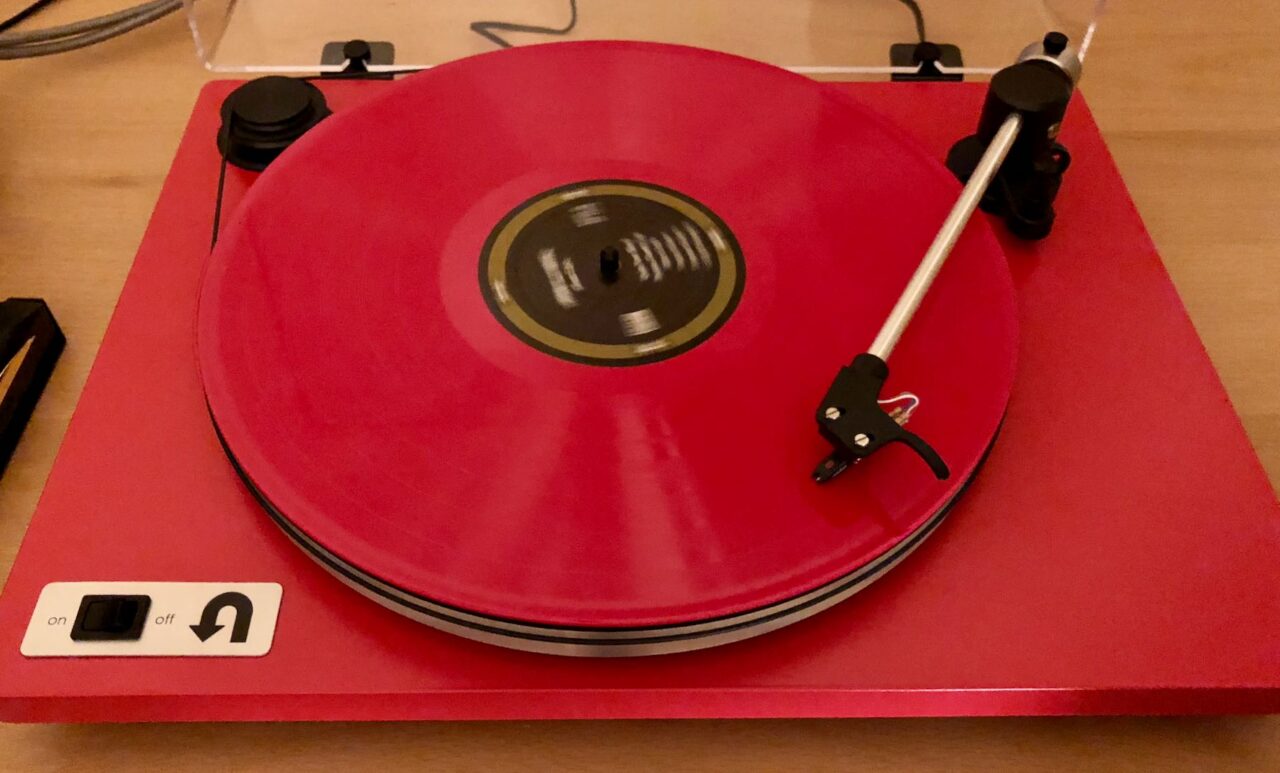
    A long time ago I owned an old stereo unit with a record player, which I used to play my parents’ records and ones from the library, but that was long gone. I ended up ordering a pretty basic U-Turn Orbit turntable in red, and started waiting.

    Not long after both the record and table arrived, and I got set up and playing.

    Red manual turntable playing a red record

    It wasn’t that long before I was ordering new pressings of some classic records, including Yes, Bowie, and The Beatles recordings from Amazon. Soon after I found myself spending hundreds at Barnes & Noble buying a bunch of indie rock and remasters of Springsteen, Pink Floyd and others.

    It was all a bit unfocused, but it was fun.

    It was also expensive to buy new records. I started looking at used record options, and spent a weekend going to every thrift store in the area. I bought a few LPs, a mix of classical and pop records, but at least in Denver Goodwill and the like didn’t seem like a good place to get used records that were in good shape.

    Eventually I found Twist and Shout, the big record store on Colfax. Although it’s a pretty long drive from where I live it has a huge record section with a lot of used albums. I started going about once a month, buying a mix of new and used discs.

    Over time I picked up almost all of the Yes albums up through Big Generator. I picked up almost all the Rush albums through Presto too, and found a new love for some of the 1980s releases that I’d sort of ignored before, including Signals, Power Windows, and Presto itself.

    I started buying Supertramp records, because I remembered liking some of the singles that KGGO played when I was a kid. I started buying Heart records for the same reason, and I went from a casual fan of the radio hits to a real fan of their music and Ann Wilson’s incredible voice.

    I found a copy of the original Dire Straits record in a small shop in Des Moines, and then proceeded to buy all of their records through Brothers in Arms. Then Crosby, Stills, & Nash, then Boston, then Creedence Clearwater Revival, The Who, some Bob Dylan, Stevie Ray Vaughan, Styx, and even Jethro Tull. Most were albums or bands I had listened to on KGGO, but now I was hearing more of what these bands had made over the years, and rediscovering songs I had almost forgotten (like Locomotive Breath, an amazing song).

    I buy a lot of new records too (The National, Big Thief, Bon Iver, Grizzly Bear, Local Natives, Tycho, Joanna Newsom, etc.), but more than anything I’ve enjoyed rediscovering bands I loved when I was a kid.

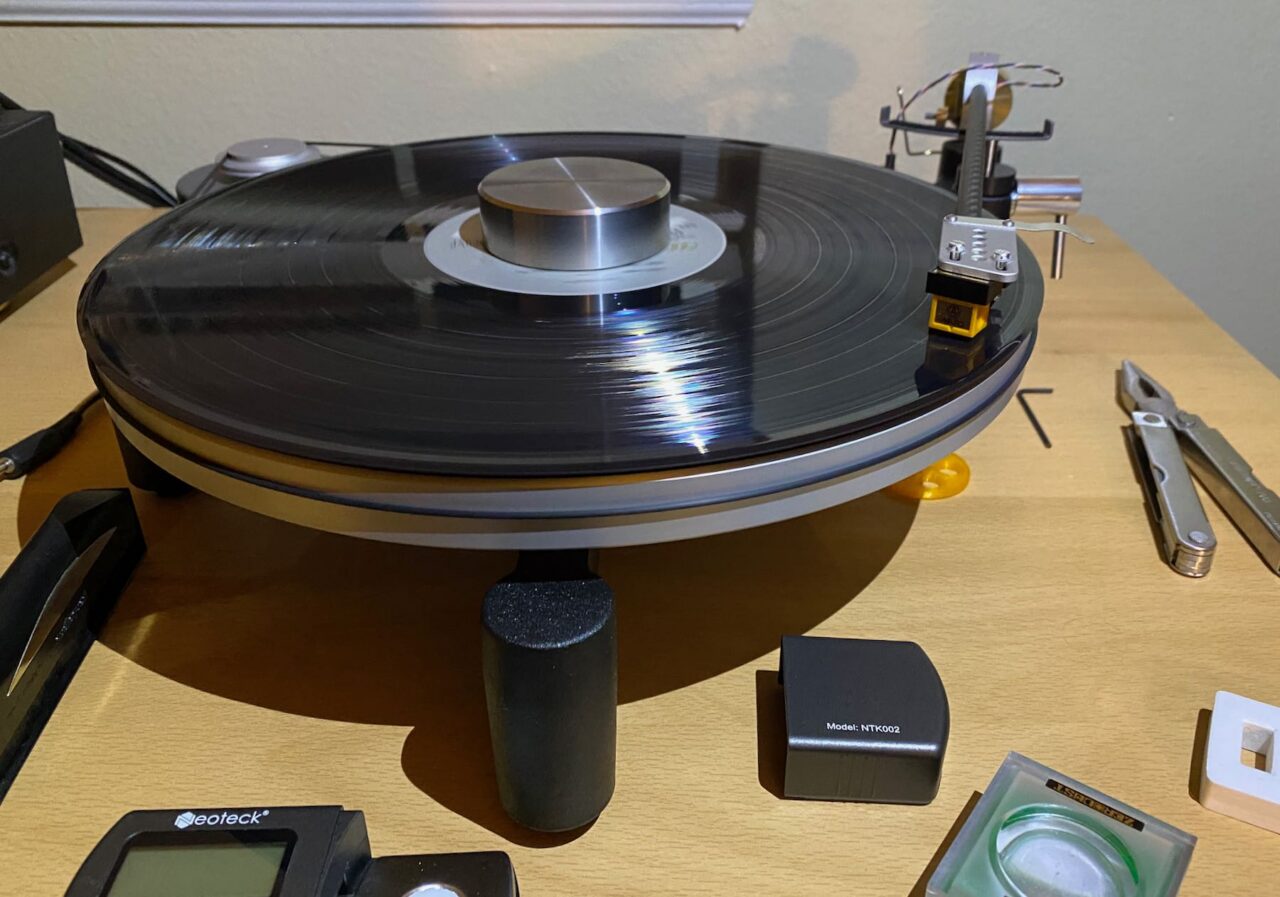
    More recently, I bought a new turntable from Schiit, which turned into an adventure on its own. The table was a brand new design; good, but with painful setup process and a bunch of small issues that hurt usability. I’ll quote myself from that forum post

    Initial setup was a pain in the butt, and I would definitely recommend watching Schiit’s video first. I had to raise the platter height, and then adjust the pulley on the motor, height of the arm, and height of the queing mechanism to get everything working well.

    I then spent way more time than I ever would have expected dialing the arm in. I had the same issues as others with the design of the headshell limiting my ability to adjust cartridge alignment. Although the slots were long enough to allow adjustment, I had to jam the tonearm wires right up against the back of the headshell. I eventually ended up with something acceptable but not perfect. I adjusted VTA by eye and ear, and azimuth by eye. But I keep fiddling with both.

    Honestly I never expected to lose sleep over a turntable, but I was so uncertain about getting everything right and so frustrated with the alignment issues that I did. Schiit’s email about the beta program a couple days later helped, and it sounds like the comments from other beta testers have improved things.

    I found myself an unexpected participant in a beta program testing out a revised tonearm and headshell design and a bunch of other small tweaks. I really like the table and it’s ridiculous looking design though.

    Schiit Sol turntable playing a record

    I still go to the record store once a month or so. I look through new releases and go through used records, and most trips I find a few gems I want to add to my ever growing collection. I still stream a lot of music from Qobuz, but now when I find something new I want to buy I usually buy the vinyl version. Most new releases include download codes, which makes it easy. Some don’t, and in those cases I might record the LP to my computer, or I might just stream it when I want to listen on the go.

    It’s been really fun to add vinyl to my music listening again, and to collect all these old and new records. I think it really renewed a love of music in me, of listening to it and of discovering new things, and of rediscovering classics. Since I got into it I’ve bought more CDs and downloads than I have in years too. And I get a real kick when I buy an piece of plastic more than a decade older than I am and it still sounds great.

  • Spring Hikes, and Riding Again

    I have not been very active over the last couple of years, and it’s taken its toll on my health. Last summer I found any excuse to not go out and walk, hike, or ride my bike. It was mostly a combination of “it’s hot” and “it’s windy”. But I live in Colorado, even when it’s hot it’s not that bad if you’re moving and can find some shade.

    But I’m starting to feel motivated again, and now I’m trying to make up the ground I’ve lost. I’m tracking what I eat again, walking more, and not sitting at home all weekend. As summer approaches I’m hoping to get over the excuses and stay active. I’m motivated by my plan to go to Banff again this fall and do quite a bit of hiking there. It’s a beautiful place and I want to feel good while I’m there.

    So I’ve taken advantage of the good weather the last few weekends to get my hiking legs back. I went down to South Valley Park, one of my favorite nearby places, on the first weekend of March and took a short hike. I posted a small photo gallery as well.

    South Valley Park trail and rock formations

    The week after that I got up early and headed to the same part of town to hike some of the trails in Deer Creek Park. I meant to head to the top of the trails at Deer Creek, but a there was still a lot of ice in the shaded, steep part of the park and I didn’t have any spikes with me. Instead I explored the connector trail between Deer Creek and South Valley parks, which I’d never hiked before. I posted another small gallery of this hike.

    Looking toward Deer Creek Park from the South Valley Park connector trail

    In addition to ice there was plenty of mud on the shaded parts of the trails. Since it just snowed again I’m expecting those conditions to persist for a while, so I’ll probably mostly stick to sunny areas through the spring. I didn’t hike this past weekend. I thought about it, but instead I went for a run.

    Besides hiking, I’ve started cycling more. I’ve been out at least once every weekend in March, even when it was windy. As I’ve always found, once I’m riding I feel pretty good, but getting out the door can be a challenge. And I’ve been avoiding riding a lot because it’s harder when I’m out of shape. The 30 and 40 mile rides I liked to take aren’t really a possibility right now, but 20 miles is. And I’m reminding myself that there’s nothing wrong with a quick 10 mile ride, especially compared to no ride.

    I’ll try to let you know if I’m managing to keep this up.

  • Simple Modern Skin for Free42 HP 42s Calculator Simulator

    Over the last few years I’ve taken to using RPN for general calculations instead of the more common algebraic notation.

    I have an HP 35s which is supposed to be at my desk at the office, but is currently at home. I’ve taken to using the truly excellent PCalc for iOS for general calculation where I don’t have the HP calculator, but I also use an HP 42s calculator simulator called Free42 on Windows when I’m at the office.

    Free42 isn’t an emulator as it doesn’t use the actual HP roms, but it is an accurate simulator of the calculator. The standard skins provided on the project page generally make this very clear, as most are based on photographs or scans of the HP 42s calculator itself. These aren’t bad, but I’ve really taken to the more modern, flat styling used in the PCalc Samurai theme. I want the functionality of the calculator, but don’t much care for trying to emulate the look of the actual physical buttons.

    So I created my own skin for Free42 based shamelessly on PCalc’s Samurai theme. It’s a bit ugly because of my limited options for font choices (and limited skill), but I’m a lot happier with it than any of the themes provided on the developer’s site.

    If you use Free42 you’re welcome to download it and give it a try.

    — Steve

  • Off-roading in the Pike National Forest

    I have posted a larger gallery of the trip on ev-15.com

    I took my new Jeep Wrangler out last Saturday for my first real off-road driving experience. I drove west on US 285, over Kenosha Pass, and then south on Colorado Route 77 along Tarryall Creek towards Highway 24. I’ve taken this route a couple of times before on my motorcycle, but hadn’t headed that way for a couple of years. The road surface is much improved from the north, but parts are still under construction.

    Along CR 77

    This is still one of my favorite parts of Colorado. The hills are gentler, more rolling grassland rimmed by mountain than the more typical Rocky Mountain areas. I find a kind of calm, lonely beauty here. This time instead of staying on the main highway I detoured off into the network of Forest Service roads in the National Forest and started exploring. I had the aid of a Garmin GPS and big printout of the Motor Vehicle Use Map for the South Park Ranger District.

    Forest Service Roads in Tarryall Area

    Since I’m a novice and was flying solo I was conservative in my trail choices. Most of the trails I explored were fairly easy to tackle, but I did find a big climb on route 214.B that I took one look at and decided against immediately. I climbed that one on foot and it was nearly like going up a staircase. I’m not that brave. I did a few other climbs that were less extreme, including one on 232 and La Salle Pass (44). I took these slow and steady in low range, first gear.

    Big Climb

    I scouted a few promising looking campsites with existing fire rings that were a little ways off the main trails. I’ll probably go back and stay overnight out there sometime soon. I think it would be nice to sit outside there with a small campfire, maybe read a little and look at the stars.

    Possible Campsite

    I met a couple other Jeeps on La Salle Pass, and I saw a few dirt bikes and ATVs near one of the main staging areas, but otherwise it was quiet and lonely which suits me. Looking back at the map it’s clear that I only covered a tiny fraction of the trails in this area, so I’ll definitely be heading back to see more in the near future.

    — Steve