The Latest

  • Trying to commit to riding to work

    OK, I’m the first to admit my timing is poor. We’re well into fall now and winter is fast approaching. Although the days are nice, the mornings are cold, and the sun sets earlier every day.

    An early October start

    Last week was the start. I made it 4 days that week, and the only day I didn’t ride was a day when I had an after-work commitment.

    It felt good, and the weather was so nice, especially in the afternoons. On most mornings I took my old Trek 610 road bike, but on Friday I took the fixed gear I converted from an old Schwinn World Sport instead. It’s such a lovely bike to ride; it’s smooth and quiet and the drivetrain has such a direct feel. The only problem is I’m not very graceful. I tend to fall off at stops. You could be kind and say I jump off instead but that would be going a bit far.

    This week I have been negligent[1] but I see nothing stopping me on the next two days, and I plan to ride both.

    Equipment for the cold

    The first thing I learned was that even when the day will be over 70 degrees, the October morning before the sun is over the horizon is too cold for bare fingers and ears.

    I have a nice thin wool cap I got for Christmas, and a quick twist of my helmet’s fitting dial makes up the size difference. My fingers were slightly more difficult. I ended up buying a pair of full-fingered gloves with an optional lobster claw cover. They’re just about warm enough for a 30-35 degree morning, and with the cover on they’re too warm for 50.

    Otherwise I can still easily ride in shorts as long as my torso is warm. A sweatshirt works fine.

    Recording speed and distance

    My bike computer died a while back, and I’ve been putting off replacing it. Eventually I decided that rather than go with a dedicated cycling unit I’d rather use a GPS so I can easily record tracklogs and see where I’ve been.

    My old GPS worked, but had a bike mount so terrible that I broke two within a year and spent the rest of the time with a cobbled-together monstrosity. I wasn’t going to stick with it. Instead I picked up a new Garmin eTrex 30 and two of its simpler, cheaper, and better bike mounts. I now have solid low-profile mounts on the stems of both my bikes and a GPS that when attached is a neutral color and relatively unobtrusive.

    The display is easy to read in sunlight, though a little hard to see in early morning light when the unit is still in “night mode”. I have full street maps and a detailed map of the Denver bike trail system loaded on the unit.

    Keeping it up

    Like every other time I’ve tried to do this, the hard part is establishing the habit. As long as there isn’t snow and ice on the trails I can ride all winter, but the strength of my willpower is uncertain. I could have weeks like this one, where I make excuses but get back on. Or it could be much worse, and I ride for 2-3 weeks before giving up entirely until the next time. Wish me luck.

    — Steve


    1. I had guests on Monday morning and after I saw them off I was in a hurry to get to work. On Tuesday I was running late for a call, and this morning it was cold and very windy. Weak, I know.↩︎
  • A Robust Porter for Christmas

    I spent a while thinking about what to brew for the holidays. I’m in a big debate with myself now on whether to drive back to Iowa for Christmas or to fly, and I’m leaning towards driving. If I do I want to bring a nice warming winter beer with me. A porter seemed like the right style for Christmas.

    I made this recipe up myself, based on the style notes for a robust porter and the grain and hops schedules for several porter kits. I took a little from several places and then on a whim swapped out a big chunk of the base malt for Maris Otter malt instead.

    Recipe

    Malt

    • 5.5 lbs Rahr 2-row
    • 5.5 lbs Maris Otter
    • 1.0 lbs Simpson’s medium crystal
    • 0.5 lbs Belgian Special B
    • 0.5 lbs Breiss 6-row chocolate

    Hops

    • 0.80 oz Willamette 7.5%, 60 min
    • 0.80 oz Cascade 8.0%, 30 min
    • 1.00 oz Mt Hood 5.7%, 10 min
    • 0.20 oz Willamette 7.5%, 10 min
    • 0.20 oz Cascade 8.0%, 10 min

    Yeast

    • Wyeast 1098 British Ale in a yeast starter

    Mash

    • Infusion: 23.4 quarts 169 F
    • Sparge: 11.5 quarts 170 F

    Yeast

    I made yeast starter on Saturday September 29. I used the standard starter guide: 700 mL of water, boiled, 1/2 cup dry malt extract, 15 minute boil, cool, and pitch. Swirled by hand a few times through the night. The yeast itself had a strong smell, I don’t know if that’s particular to Wyeast 1098. It was pretty flocculant, and I had a nice yeast layer on the bottom of the flask before starting the brew.

    Mashing

    I started the brew process around 9:30 am by preheating the mash tun with hot water and heating the mash water to 170 F.

    To keep my sparge volume below 12 quarts (a limitation of my available pots) I used a water to grain ratio of 1.80 qt/lb, with a target mash temperature of 152 F

    Mash-in was at 10:15 am. I waited 5 minutes for the temperature to stabilize, then took a reading. The temperature of the mash at the center of the tun was about 153-154 F. At the edge of the tun it was closer to 149 F. At 40 minutes the temperature was still at 152 F in the center of the mash tun. The temperature was above 150 F at the end of the hour long mash.

    I stirred the mash at 20 and 40 minutes, and at 60 minutes the mash was stirred again, allowed to settle, and then recirculated and drained starting at 11:30 am. I had to recirculate about 4 quarts of wort before it ran clear. I finished the sparge at 12:20 pm.

    Once that was complete I started the boil. The mash and sparge water calculations from iBrewMaster were good, and I had what appeared to be just the right amount of wort come out. I extracted a sample to measure the boil gravity.

    Boil

    The starting boil gravity was 1.056.

    Because I’m constantly worried about having too little beer at the end of the process I added a little water to the boil along the way to keep the volume up. I worried about diluting the final result, and in the end I did have about a quart more clean wort than I needed, but it doesn’t seem to have harmed anything. Assuming a 70% mash efficiency the calculator I used estimated an OG of around 1.060, but experience with my setup shows I either get higher efficiencies than that or my hydrometer is wrong.

    I ended up adding the remaining Willamette and Cascade hops at the 10 minute mark just to use them. They weren’t in the original plan but the packages were 1 ounce each. This may add another 4 or 5 IBUs to the beer, but it should still be within the style guidelines.

    Measurements and fermentation

    The measured original gravity was 1.066 at 78 F (1.067 at 68 F). That’s higher than expected. I think I get better yields from my system than my current set of calculators estimates. I’ll have to adjust my mash profiles. It might be prudent to check my hydrometer as well. If it’s reading high then the rest of my calculations are wrong.

    Style: Robust Porter
    Type: All Grain
    Boil Size: 6.73 Gal
    Batch Size: 5.00 Gal
    Calories: 210
    IBU’s: 47.59
    Color: 27.1 SRM

    Right now the calendar estimates this beer will be ready to drink in mid December, perfect for Christmas.

    — Steve

  • Keeping a journal

    Over the years I have tried repeatedly to keep a journal of my daily life. I may never be Samuel Pepys, but that doesn’t mean there isn’t value in capturing my thoughts, even though they never leave my possession.

    I used to consider this website a journal, and I guess in a way it still is. However, it is no longer a place for my unedited daily thoughts. I want to be more measured here instead.

    But I still feel a need for a place to hold those raw thoughts. I’ve tried several paper journals; for a while in Moleskine notebooks, later in Field Notes books. These worked, but had the distinct disadvantages of needing to be at hand, and needing a pen.

    The Moleskine was simply too large to expect to have on me at all times. The Field Notes were better, as they are the perfect size for a back pocket, but I still would forget them, and eventually the books themselves succumbed to the stress of living in my back pocket. Frankly I’m amazed my wallet survives.

    And though there was a real, visceral satisfaction of pulling out an actual, physical paper journal and writing down my thoughts while getting coffee, or a beer, in reality that was mostly posing: the thoughts were important, but the action was just as important.

    After my last set of Field Notes started to fall apart from constant carrying I stopped writing entirely for a while.

    Salvation, of a sort, came about a month ago when Day One released an update to their iOS and Mac OS X journaling app. I had heard of Day One before, but not actually considered its worth in my daily life.

    But even though I’d given up on carrying the Moleskine and a fancy pen, I hadn’t given up on journaling the day to day of my life. It is just too valuable to me to know what I was thinking in days, months, and years past.

    I’ve been using Day One for nearly a month, and have written at least one thing all but two days since I started. It is present on my iMac, iPhone, and iPad, and the reminders I have set mean I never am short of a notice to write something about my life down. Because it is almost entirely meant for me, there is no pressure about censorship or dishonestly. I am the audience, and I want to tell myself the truth.

    Because it is on my iPhone, it is with me everywhere I go, and is durable enough to stand up to daily abuse in my pockets. Truthfully it changes things to know my journal is always available and the only thing stopping me from writing is my own inhibition. If I can set that aside then I can capture my thoughts.

    I love being able to capture photos along with those thoughts, and I’m impressed by the elegance with which those photos are shown. iCloud synchronization of everything is a lovely bonus.

    My own workflow varies. Sometimes I write long entries on the Mac or iPad while sitting at a desk. Sometimes I’m on the go and I write shorter notes on my iPhone, and then I often include a picture taken with the iPhone camera. Often on iOS I capture text using Drafts at first, sending it off to Day One when my thoughts have been appropriately fleshed out.

    I’m writing this to invite any readers and friends who also use a Mac or iOS to purchase Day One and to start recording their own lives. It’s rewarding. You may not be as pretty or notable writing on your phone as in a lovely paper journal with a fancy Japanese pen, but you’ll be able to read it later. And in more than one place.

    My own next steps include transcribing my handwritten journals into Day One so they are preserved.

    Writing is never in vain, even if never shared.

    — Steve

  • Morning on Mount Evans

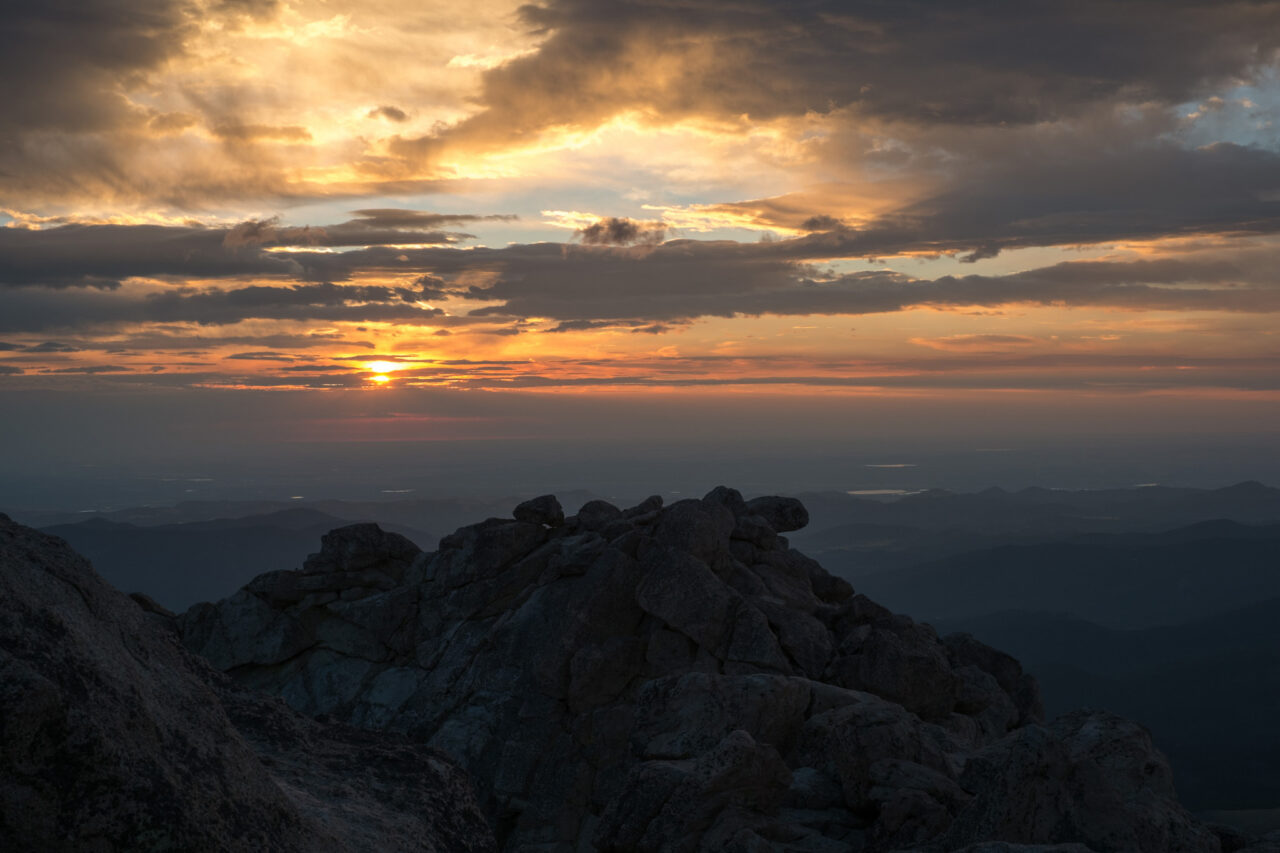
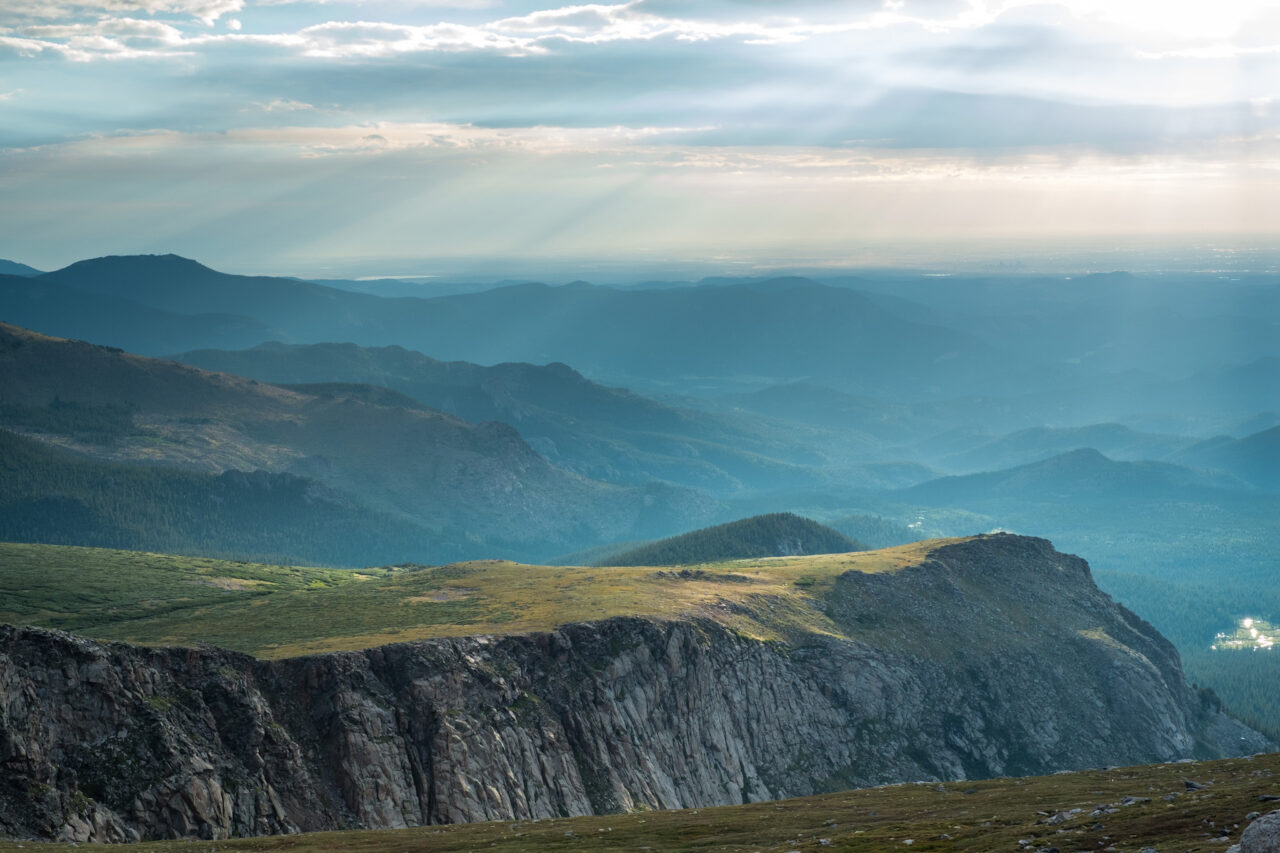
    I woke up very early this morning and drove up Mount Evans to watch the sun rise. I had the summit of mountain to myself for a while. I’m already feeling tired but it was worth it.

    — Steve

  • A longish bike ride

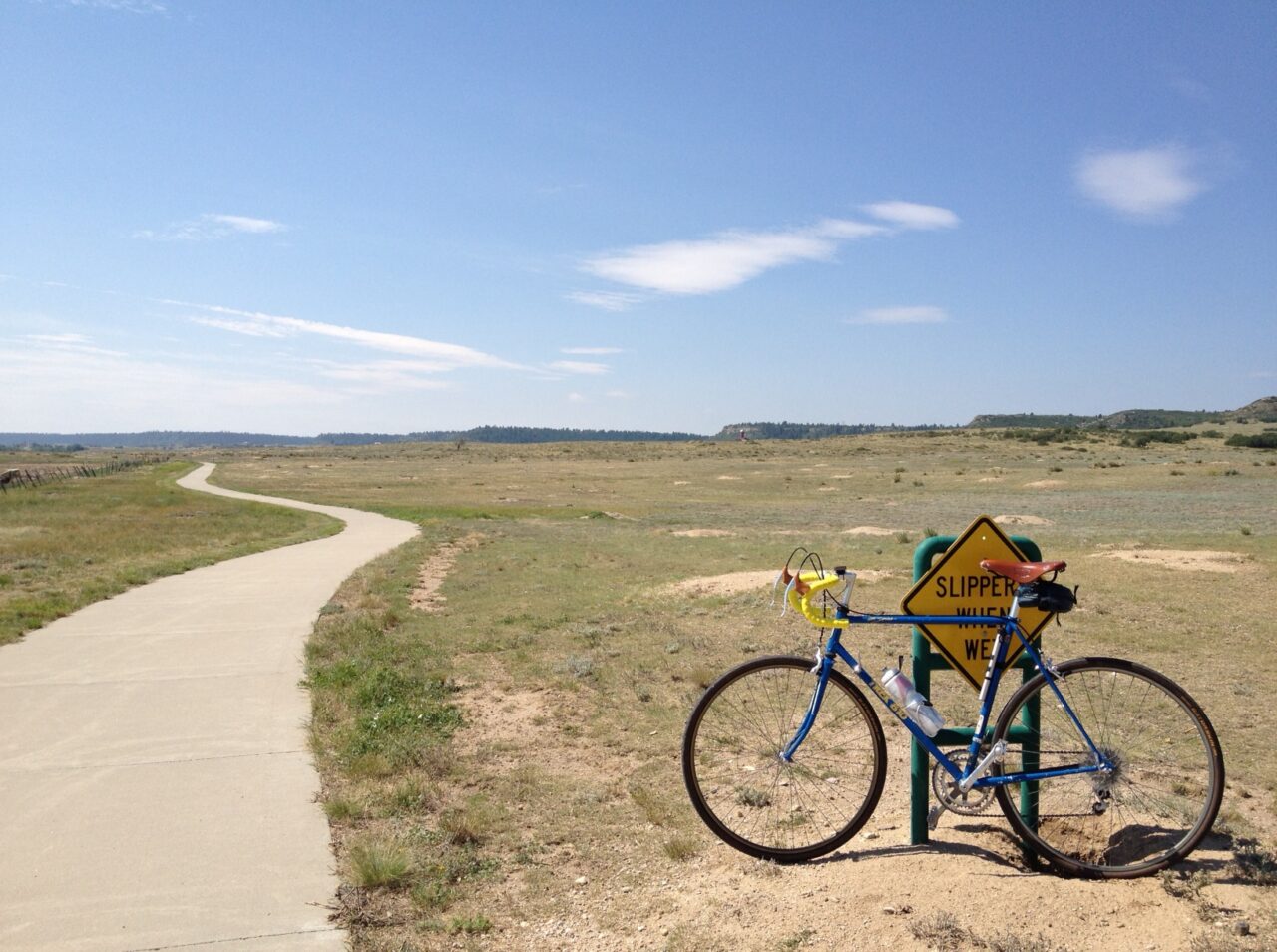
    I took my bike down to the south side of town today and got what I think is the longest bike ride of the year in. Of course, that’s only 32 miles. I haven’t even done a half century in about 5 years. I’ll have to do something about that.

    For now though, I’m just trying to get more riding done in general.

    I like riding that portion of the Cherry Creek Trail. It’s relatively quiet (though busier on a Saturday than weekdays) and the entire ride away from the trailhead is essentially uphill. It’s not steep, but you work a lot harder getting away than coming back. It means that if I’m starting to feel tired I don’t have to worry too much, because the ride home is mostly downhill.

    — Steve

  • A collection of old photos

    I’m an avid amateur photographer. I held out against digital photography for a long time after it was obvious to everyone else that it was the future. And although I long since gave in to the inevitable[1], I took thousands of photographs on film over the years.

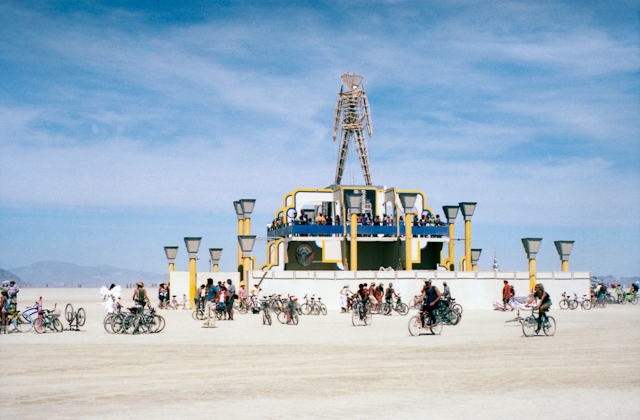
    The Man at burning man

    Many were shared, in one form or another. Some I printed in the darkroom at Iowa State. Some I printed at home. Others were scanned and uploaded to the internet. For a while I was diligent about creating online photo galleries for each roll I developed.

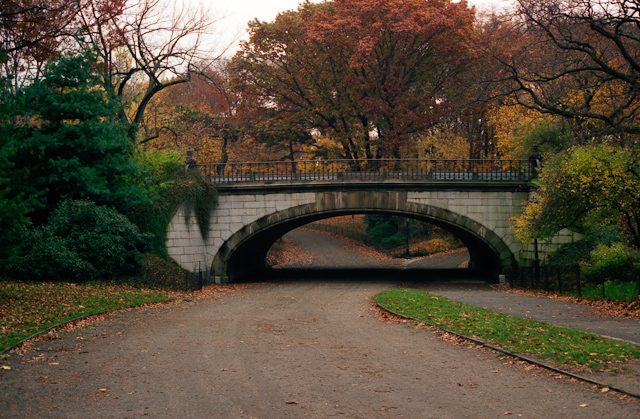
    Bridge in central park in autumn

    A few weeks ago I bought a new domain name, retrofocus.co. I wasn’t sure why, but it sounded good. A day later I had the idea to share some of my old photographs.

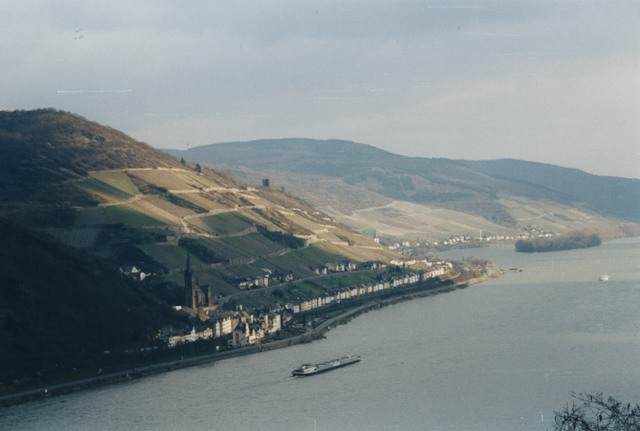
    A view of the Rhine river from high up

    I have nearly 300 pictures selected and ready to publish, and I’m planning to publish one every day or two. I have more film that was never scanned, and I should be able to keep this up for a year or more.

    Give it a look.

    — Steve


    1. I can certainly get high quality photographs more easily and more consistently with my digital SLR, and I can make good prints. But some ineffable magic is missing. I can’t explain it.↩︎
  • Markup languages for writing

    When I started writing for the web several years ago, content management systems didn’t commonly include WYSIWYG editors. Typically I wrote posts in standard HTML, and the editors at best had automatic insertion of paragraph tags and javascript buttons to insert text styling cues such as bold and italics.

    I was never a fan of mixing HTML tags with my text while writing. I felt like they were too verbose and mostly got in the way of the writing process. But they were a necessary evil, so I lived with them.

    The first foray into structured markup

    Eventually I learned about two markup languages, Textile and Markdown, designed to make writing for the web a more natural process. They had many similarities, and both were cleaner than writing plain HTML. I spent a while looking over the documentation for both, and eventually settled on using Textile for my web writing. It seemed straightforward and I think I preferred the visual unambiguity of the language.

    I used Textile for a long time in my web writing, and got pretty used to it. Eventually though the editor in WordPress, my blogging platform at the time, became “good enough”, and I stopped writing in plain text and started trusting the CMS to handle things. For a long time after this I didn’t use any markup languages. Web writing was done in a WYSIWYG editor in WordPress, and notes were taken in unstructured plain text in Notational Velocity or in basic Microsoft Word documents.

    Coming back to text

    Over the last year or two, though, I’ve moved away from WordPress, reduced the amount of unstructured text I write, and become sick of MS Word. The proliferation of “distraction free” writing environments on Mac OS X and iOS caught my attention, and I started taking a lot of notes on my iPhone.

    It started to seem obvious that plain text files were the way to go, at least for the writing process itself. It reminded me of my days using LaTeX. A plain text file could be edited anywhere by almost any program, and could act as a sort of “source code” for the written word. It also seemed obvious that some kind of organizational structure for the text documents was needed.

    But unlike my first foray into this space, I no longer saw a choice between two viable candidates. I went straight to Markdown like it was the right answer all along.

    Choosing a language the second time around

    I’ve been thinking about why I chose Markdown over Textile, or reStructuredText or LaTeX for that matter. I think it came down to a few basics that added up to such a compelling choice that the decision seemed obvious.

    1. Simplicity of the syntax
    2. Readability of a formatted document
    3. Lack of a specific “intent” of the document’s final presentation format (HTML, PDF, etc) baked into the syntax
    4. Wide support in text editing environments
    5. Wide support for conversion

    LaTeX was my first real exposure to writing in structured plain text. It’s a good writing format which largely stays out of the way, but has always felt like its native output intent was the printed page (usually via a PDF). It also feels intended for complex and heavily referenced academic documents.

    Because of this a typical LaTeX document has a large preamble filled with document setup boilerplate code. LaTeX is fantastic for large reports, but never felt like the right format for shorter less formal documents. The right format for writing should have no required boilerplate to begin or end the document.

    reStructuredText is closer to the mark, but I felt like it was still a little too formal for writing. It seemed like more of a documentation writing format than I was looking for, and the plain text source never felt easy enough to read to me.

    Textile was the language I had used in the past, but in reviewing it now I realize that it was probably the wrong choice. While easy to read, it is very much a language intended for conversion to HTML. It uses HTML concepts for most of its tags, and mostly just simplifies the syntax to the point that there are not distracting HTML tags everywhere. Paragraphs are marked, where needed, by p.. Block quotes are marked by bq., and headings marked by h1. through h6.. A lot of the syntax therefore takes itself directly from standard HTML terms, just in a prettier format.

    I realize now though that I’m not “writing for the web”. The web is where these words are now, but the intent of the markup I use shouldn’t be “HTML”. It should be meaning-based, and read easily in the plain text it started in. Of all the markup languages I looked at Markdown is the most like basic writing, with the least amount of output intent built into the syntax. It doesn’t feel like HTML made pretty.

    What Markdown feels like to me is the type of writing I used on old school mailing lists. On the mailing lists everyone was expected to write in plain text, and basic conventions developed for marking up text with this limitation in mind. The markup wasn’t intended to be converted but read as-is. Markdown feels like these conventions, expanded to allow for conversion to other presentation formats. It’s easy to write and easy to read.

    In addition to the natural (by convention at least) feel of the language, Markdown has by far the widest support in text editors. Of course any text editor can work with the plain text, but basic syntax support like bold or centered headings, underlined, italicized, or bolded emphasis, lists that are indented like lists, and block quotes that look like block quotes enhance the writing process without getting in the way. Call it what-you-see-is-what-you-mean, to steal a phrase from the developers of LyX.

    I use it for writing, including this essay. I use it for formal notetaking, converting to HTML or other formats for display and sharing. I use it for quick, informal notes.

    Combined with the SmartyPants language extension for smart quotes and automatic generation of en- and em-dashes and ellipsis marks (included with many Markdown to HTML converters), Markdown allows me to write simple, easy to read plain text documents that can be converted into well-formed HTML by an automatic processor, but can also be easily written, read, and edited with a text editor.

    — Steve

  • Interior bike rack for a 2012 Ford Focus hatchback

    The best way to carry a bike?

    I want to be able to carry a bike in my car. Both so I can have my bike with me on road trips and to try new trails outside my normal riding distance from home.

    The obvious way to mount a bike on a car is to put it on a rack the roof. Turns out[1] it’s also not a great solution for reasons I’ll get into. Other common options are hitch carriers and trunk lid mounts. I can’t abide trunk lid mounts, and I don’t plan to install a trailer hitch on my car. And though I’ve had a roof rack in the past, I don’t have anything that will fit my Ford. I’d need to buy new towers, cross rails, and bike mounts. That’s expensive.

    Roof racks have other disadvantages. Bikes on the roof reduce gas mileage on road trips and expose the bike to potential damage. You have to be careful about parking garages, and you have to get locking fork mounts if you plan to leave your bike with the car while doing other things. In contrast, mounting the bike inside the car preserves gas mileage, protects the bike, keeps the exterior appearance of the car stock, and lets you keep a bike with you while doing other things with less worry about theft[2].

    For these reasons I’d prefer to mount the bike inside the car. In fact, part of my selection process for purchasing a car included a requirement that I be able to easily place a bicycle inside the car. Ideally with minimal to no disassembly required. This was part of the reason I eliminated all sedans from my list and focused on hatchbacks and wagons.

    Rack ideas

    Although I wasn’t as comprehensive in testing this as my friend Andy[3], I was certain that the Ford Focus would accept a bike and meet my criteria. I just didn’t work out a good solution until after spending some real quality time with the car. Things started to click after my recent Iowa vacation, when I got a good look at the custom racks Andy built for his Edge, his wife’s XTerra, and my dad’s Nissan Frontier.

    Andy can carry two bikes upright in a set of Rocky Mounts mounted on stubby Thule cross rails. He folds half the rear seat of his Ford down and the carrier assembly is held in place by bungee cords. Simple, relatively inexpensive, and allows him to easily carry three people and two bikes. His wife’s XTerra is similar, but can carry three bikes with the back seat folded flat. It uses a set of truck bed mount style fork blocks in a custom rack. Between them then that’s five bikes and five people in two vehicles. Nice.

    My dad’s rack is a simple folding wooden frame, custom sized for the bed of the pickup, with two simple fork mounts bolted to the frame. That and the ribbed pickup bed are all it takes to securely hold a bike in place. It is designed to carry two bikes, and can take three in a pinch, with the front wheels either in the bed of the truck or behind the seats in the cab.

    I wanted to do something similar for my Focus, despite its smaller size, and these existing mounts were a good starting place for my design.

    Test fitting

    I started testing bike fit when I got home. A few test arrangements (and unfortunate grease marks on the ceiling of my car) later I had a workable solution that required removing only the saddle and the front wheel of the bike. I did some test loading and unloading and I can get the bike unloaded, assembled, and ready to ride in a couple of minutes. I can prep the bike and get it loaded back in the car quickly as well.

    The key to loading the bike turned out to be to fold the passenger side of the rear seat flat (the narrower half of the split seat), and to temporarily fold seat back of the driver side as well. The bike can then be rolled at an angle into the cargo area rear wheel first. The angle (tilted down about 45 degrees) allows the rear of the frame to clear the hatch opening, and once clear the bike can be tilted back to vertical and the larger side of the rear seat placed back upright.

    After working out the test fit, the next step was to build something to properly anchor everything and keep the bike from damaging the interior of the car. The primary anchor had to be the front fork, with the rear wheel anchored by it’s location in the gap between the folded rear seat and the door. Realistically the only thing I needed to build was a front fork mount.

    Designing the fork mount

    The tricky part of designing the mount was that I didn’t have a lot of clearance between the rear window of the hatch and the bike’s handlebars. A simple fork block mounted to a set of 1x4s would raise the handlebars too far off the floor. After some thinking, I sketched out an idea for mounting a fork block horizontally to the side of a piece of angle aluminum. This would minimize the rise of the fork mount above the floor of the trunk.

    I picked up a fork block at the bike shop, then headed to the hardware store for the rest of the parts. The primary assembly is simply the fork block mounted to the side of angle aluminum. I finished it off with nonslip shelf liner to protect the interior of the car from the sharp metal edges and to keep it from sliding around on the floor of the car.

    Parts list:

    • Basic fork block from the local bike shop. These are widely available and are really just a metal bracket with a quick release skewer and mounting holes.
    • Angle aluminum, 1.5 inches by 3 feet, 1/8″ thickness. The main body of the mount. The width of my trunk where the bike fork sits is 37 inches from wheel arch to subwoofer. The 3 foot section of aluminum is just about perfect. The 1/16″ thickness was too easy to twist, but the 1/8″ was nearly ideal.
    • Bolts. I bought a small bag of short 1/4″ bolts and nuts that fit the holes in the fork block and wouldn’t extend much past the angle aluminum and fork block.
    • Nonslip shelf liner. I got a roll of standard black nonslip shelf liner to both pad the aluminum, making it safer for the car, and to keep it from sliding around on the floor of the trunk.
    • Heavy duty mounting tape. I used a roll of outdoor mounting tape to secure the shelf liner to the aluminum bar. I think most any adhesive would do.
    • Miniature bungee cords. These are to secure the front wheel to the bike frame and to mount the seat between the fork blades. I am thinking about switching to velcro straps.
    • Drill and bits. Technically tools rather than parts, but necessary to drill the mounting holes in the angle aluminum.

    Not including the drill (which I bought a couple of years ago for my garage wall mount bike rack project), the total cost of parts was about $60.

    Construction

    Construction was straightforward. I first started by loading my bike into the car without the fork mount, and tried to find the optimal position of the frame and fork for clearance of all bike parts from the interior and easy closing of the liftgate. I placed the angle aluminum under the fork, and centered it between the wheel arch and the subwoofer. I then placed the fork block into the fork and verified that the position would work, and marked the location of the mounting holes.

    Drilling the holes was largely straightforward, but I had to do it twice. I had marked the holes with permanent marker but had not been careful about cleanly covering the outline of the fork block. Because of this my holes were about 1/8″ too far apart, and the fork block had no horizontal forgiveness in the design. I moved the block slightly and re-drilled the holes more carefully, and the second time things mounted fine. I didn’t really mind, since I don’t get enough opportunity to use my nice cordless drill and this was a good excuse. I finished the edges of the drill holes with a small grinding bit on my dremel.

    The fork block was bolted to the inside of the angle aluminum (though the outside would have worked as well), and in this configuration the mount point for the fork blades is only about 1/2″ above the floor.

    Once I verified the fit of the assembly, I pulled it back out of the car and wrapped the outside of the aluminum in the nonslip shelf liner. This probably took the most time of the whole process, but most of that time was fiddling with the tape I bought. I probably should have used a different type of tape, but it’s done now.

    The finished product

    The finished fork mount is extremely simple. It’s essentially just an off-the-shelf fork block bolted to a short section of angle aluminum. It solved the problem though. The front of the bike is held securely in place to the aluminum, and the mount’s length and the nonslip finish keeps the bike from tipping or sliding around. The rear wheel is held in place by the friction of the tire and its position between the door and the rear seat cushion. Even spirited driving around town didn’t shift the bike around. I lose some luggage space, of course, but not a lot, and this will let me easily bring my road bike with me on road trips without hurting my gas mileage or damaging the bike.

    What about two bikes?

    Because the car is not long the bike has to sit at an angle as the photos show, with the rear wheel at the outside of the car and the fork blades toward the middle. My handlebars are also relatively wide. In the current configuration it would be difficult to load two bikes side by side.

    I think it would be possible to load two bikes at a time by building a second set of mounts (or even placing two fork blocks onto one mount), but this might require removing or otherwise turning the handlebars of both bikes. Another option may be to mount the second bike “backwards”. I might test these possibilities at another time, but my primary goal was to be able to easily bring my road bike with me on trips, and I have accomplished that goal.

    Why I wrote this

    More than anything, I hope this (admittedly crude and simple) mount option will be useful to owners of the 2012 Ford Focus hatchback and other similar-sized hatchbacks such as the Mazda 3 and Subaru Impreza. The basic concepts might even be useful to those with larger vehicles. It strikes a good balance between preserving seating and cargo space while minimizing the bike disassembly required to use the rack. Loading a bike can be accomplished in 5 – 10 minutes, start to finish. It is very light, has only one moving part, can be hung on a nail on the wall of the garage for storage, and it was easy to build.

    — Steve


    1. You have to say it in your head like Merlin would on Back to Work to really get it.↩︎
    2. There’s never no worry about theft.↩︎
    3. Andy actually made cardboard bike mockups that he took to dealers during his shopping process to check fit and make sure whatever he bought could take two bikes minimum.↩︎

  • Brewing an English bitter on a hot day

    It’s hot. I brewed.

    We’ve been way above normal all spring and summer so far, and here we are on what is expected to be the second 100 degree day in a row. And I made a yeast starter last night so despite the heat I spent the morning outside on another brew session.

    Today’s beer is another kit from Northern Brewer called The Innkeeper. It is a straightforward beer with added corn sugar to up the gravity. This is my second all-grain brew, and though the first went very smoothly I’m still not confident yet. The only way to get there of course is to just keep brewing.

    The process

    I started the brew proccess at around 10 in the morning by procuring a second propane tank. I’m tired of fuel anxiety and also don’t want to waste fuel by exchanging a tank early. Going forward I will keep a full backup in the garage for when I do run out. My burner appears to be fairly efficient and I didn’t run out of gas, but now I don’t have to worry as much.

    The process went a lot smoother than my first all-grain batch. I modified the valve on my mash tun so that the ball valve arm no longer interfered with the cooler wall. I also preheated the tun and took the actual temperatures from my first batch into account when calculating my strike water temperature. This time I nailed my target mash temperature, though with the huge air space above my grain bed (the cooler I use would be better for 10 gallon batches) I lost some heat and added another quart of boiling water about halfway through the process.

    Still, it went smoothly. And for once I had enough wort pre-boil that I ended the boil right on my target of 5 gallons. This is largely a result of learning over time how much volume I needed before starting the boil.

    Sparging also went smoothly, except that because of the size of my mash tun and relatively small amount of grain I had trouble establishing a good filter bed. I’m thinking maybe I should get a smaller cooler, but for now I just hope the addition of Irish moss 15 minutes from the end of the boil helped clear things up, along with the siphoning of the wort into the fermenter rather than pouring.

    Sparging also took longer than I would have hoped, at nearly an hour. I ran two batch sparges of 10-12 quarts each, which is probably more water than I should have ran. Measured extraction gravity was 1.030, which is close to target. Boil gravity was higher because of the additional corn sugar.

    The boil went smoothly, and measured original gravity, before aeration and yeast, was 1.044, just a hair higher than the target of 1.043. The beer’s in the fermenter now, wrapped in a cool wet towel to try to keep the temperature in the target range.

    Waiting

    Brewing is a lot of waiting, especially with an all-grain batch. There’s the 30 — 40 minutes to get the water to the right temperature, and then there’s the hour to mash, then another 30 — 60 minutes to complete the sparge process, then another 15 — 30 minutes to get the wort back to a boil, then an hour to boil, then 20 — 30 minutes to cool the wort, then another 30 minutes or so to get it transferred to the fermenter and aerated, and pitch the yeast. Then cleanup.

    Maybe others are more efficient, but my basic assumption was that with an approximately 11 am start I would be done in the middle of the afternoon. In the end, the brew finished with pitching the yeast into the fermenter at about 3:15 pm, and I finished cleanup at 4.

    I need to start brewing with friends so we can brew larger batches and tag team the process so that it is less solitary. Honestly as much as I enjoy brewing the step-by-step process is kind of boring and always frustrating.

    Results

    The results are 5 gallons of The Innkeeper now fermenting in the corner of the dining room. For the next few days I’ll keep a careful eye on the fermenter temperature. It’s simple enough of a beer that in about 3 weeks I’ll bottle it, and a couple of weeks after that I’ll be drinking an English bitter that has a reputation for being excellent.

    — Steve

  • Microsoft’s Strange Tablet Launch

    I don’t normally write this sort of thing, as I prefer to keep this site focused on my everyday life, but I watched the Microsoft Surface keynote video this morning and have been thinking about what I did and didn’t see. And although I am a long-time Mac user, iPhone user, and iPad owner, I was and am very interested in this type of technology and what Microsoft is able to do with it.

    So I’m sorry about this, and I promise I will get back to beer and road trips soon.

    Let’s start with the basics. Names. They’re calling the tablet “Surface“, which would be great except they already had a product called Surface, and other than touch this really isn’t the same thing at all (notably, they changed the name to PixelSense, another questionable name, before launching the tablet).

    Even stranger though, they chose to call the screen “ClearType HD”. ClearType has been around a long time, but it is not a hardware product. It was (is?) Microsoft’s subpixel antialiasing text rendering engine which is now over 10 years old. It doesn’t really make sense for them to try to shoehorn this name onto to display for their new tablet, but they did.

    And of course there is the discussion of whether it is really fair to call the Windows RT system “Windows” when it has none.

    But what I didn’t see was far, far more interesting.

    While Microsoft spent a lot of time talking about the design of the hardware, they failed to clarify some of the key details. Claims for pricing and availability were so vague as to be nearly useless. Screen resolution was implied but not stated. They never even mentioned battery life. How long do these things last? That’s important.

    Over and over the presenters discussed how “like a book” the Surface is when the keyboard cover is attached, but they never showed it held like a book, or being read like a book.

    Over and over the presenters discussed how with the keyboard attachment the Surface could be used for Real Work, unlike some other Tablets That Will Not Be Named. Ignoring the silliness of that claim, why were there no demonstrations showing Real Work on the Surface? Not once did any presenter show any Real Work on the ARM tablet, and all we got on the Intel machine (which is more like a traditional PC) was a very brief demo that Lightroom will run.

    The show spent so much time talking about the keyboard covers and yet we never once saw anyone typing with them.

    They didn’t even show what may have been the most obvious demonstration for this: reading and responding to email. This would have showed off the Windows RT system’s Metro mail client (being used for Real Work, of course) and would have supporting the claim that the keyboard cover really is easy to type on.

    And there’s more!

    We never saw web browsing (other than an embarrassing system crash). We never saw email. We never saw a calendar. We never saw book reading. We never saw a video or media player other than Netflix. We never saw a news reader. We never saw note taking. We never saw Office, or any Office-like program. We never saw even the most basic blank window with text being typed into it. We never saw an onscreen keyboard. We never saw a photo viewer or a photo editor. We never saw games. We never saw maps of any kind. We never saw the device in portrait orientation. We were told about the cameras but not shown video chat or Skype, which they own.

    The things we never saw far outnumber the things we did.

    We were told many things about Surface, but we were never shown any of them beyond the hardware itself and a few nearly static screens. It’s not enough to just be told. For this to have weight we must be shown. When Steve Jobs introduced the iPhone and later the iPad, he spent real time playing with them. He used the keynotes to show what we could do with these amazing new devices, not just how nice they looked.

    The kind conclusion is that Surface is unfinished. I think it is so far from being ready, software-wise, that they chose to avoid showing us the software as much as they could. And that’s really unfortunate because a good tablet is, fundamentally, nothing more than a window into the software it runs.

    — Steve